How to Pay TNEB Electricity Bill Online (Step-by-Step Guide)
A complete guide on how to pay your TNEB electricity bill online using the official TANGEDCO website, TNEB mobile app, Google Pay, PhonePe, and Paytm.
Gone are the days of standing in long queues at the TNEB office to pay your electricity bill. With the digital revolution, TANGEDCO (Tamil Nadu Generation and Distribution Corporation) has made it incredibly easy to pay your bills from the comfort of your home.
In this guide, we'll walk you through the various methods available to pay your TNEB bill online, including the official website, mobile app, and popular UPI apps like Google Pay and PhonePe.
The One Thing You Need: Your Consumer Number
Before you start, you only need one specific detail: your 12-digit Consumer Number. This is the unique identifier for your electricity connection.
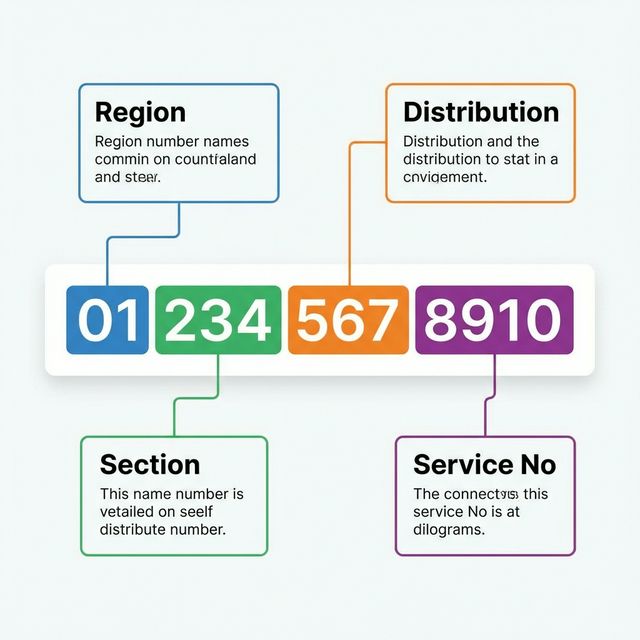
If you are looking at an old physical receipt, you might see a format like 09-123-456-7890. When entering this online, you should enter it without hyphens as 091234567890.
You can find this number on any previous bill receipt or in the SMS sent by TANGEDCO to your registered mobile number.
Method 1: Official TANGEDCO Information Portal
The official TANGEDCO "Quick Pay" portal is the most direct way to pay, avoiding third-party apps if you prefer.
- Step 1: Go to the official TANGEDCO Quick Pay Page.
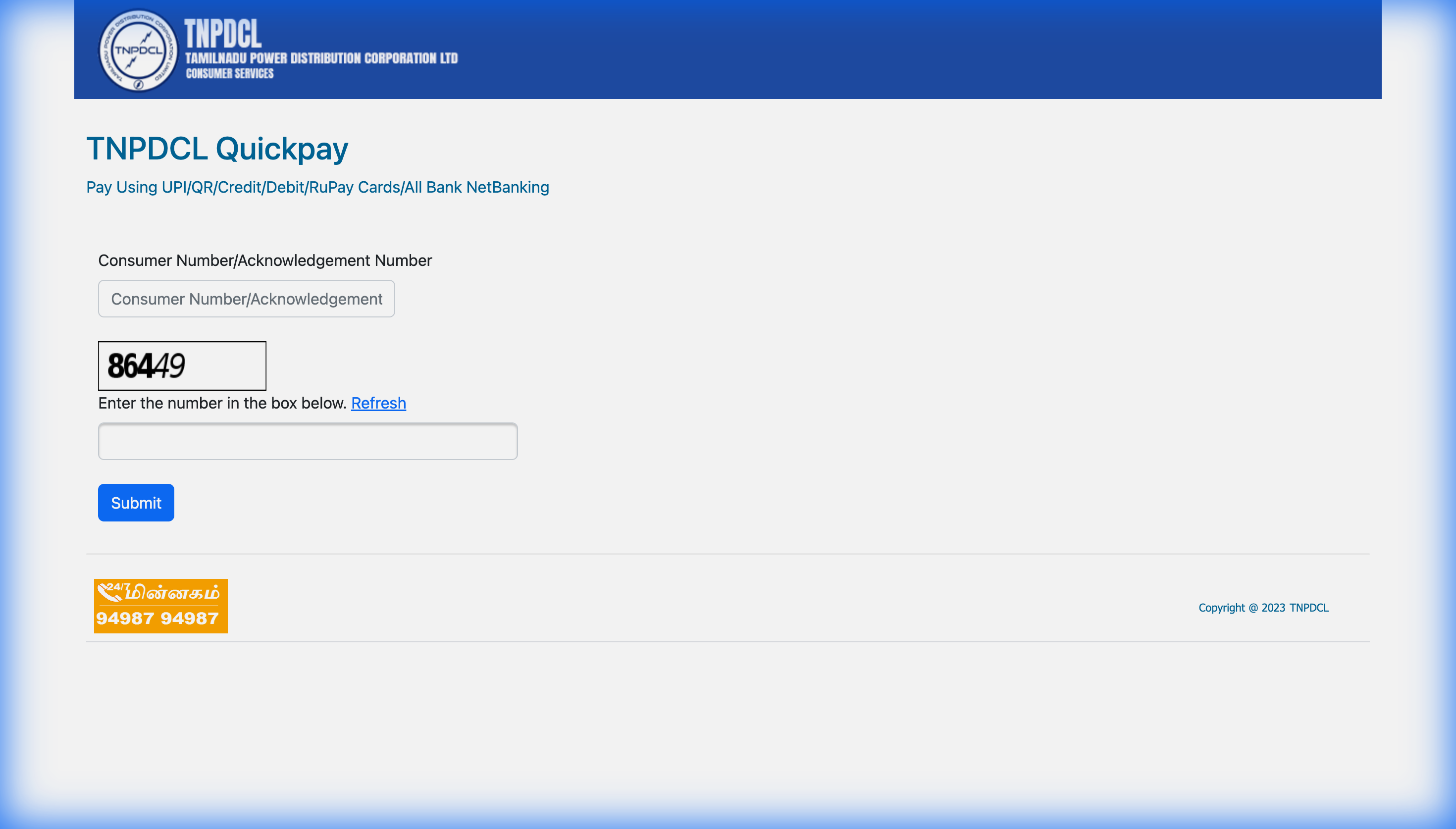
- Step 2: Enter your full Consumer No in the box.
- Step 3: Type the characters shown in the CAPTCHA image exactly as they appear.
- Step 4: Click Submit.
- Step 5: On the next screen, verify your name and bill details, then choose your payment mode (Credit/Debit Card, Net Banking, or UPI) to complete the payment.
This "Quick Pay" link (tnebnet.org/qwp/qpay) is often faster than navigating through the main TANGEDCO home page.
Method 2: Using UPI Apps (GPay, PhonePe, Paytm)
This is often the fastest method for most users as you likely already have these apps installed.
Google Pay (GPay)
- Open the Google Pay app.
- Tap on "Pay bills" or "Electricity".
- Search for "Tamil Nadu Electricity Board (TNEB)".
- Enter your Consumer Number and link your account.
- Once linked, your bill amount will automatically appear. Tap "Pay" to complete.
PhonePe
- Open PhonePe and go to the "Recharge & Pay Bills" section.
- Select "Electricity".
- Choose "Tamil Nadu Electricity Board (TNEB)".
- Enter your Consumer Number.
- Click "Confirm" and pay using your UPI PIN.
Set Up Autopay for Peace of Mind
One of the biggest advantages of using UPI apps is the ability to enable Autopay. This ensures you never miss a due date and avoids those pesky disconnection notices.
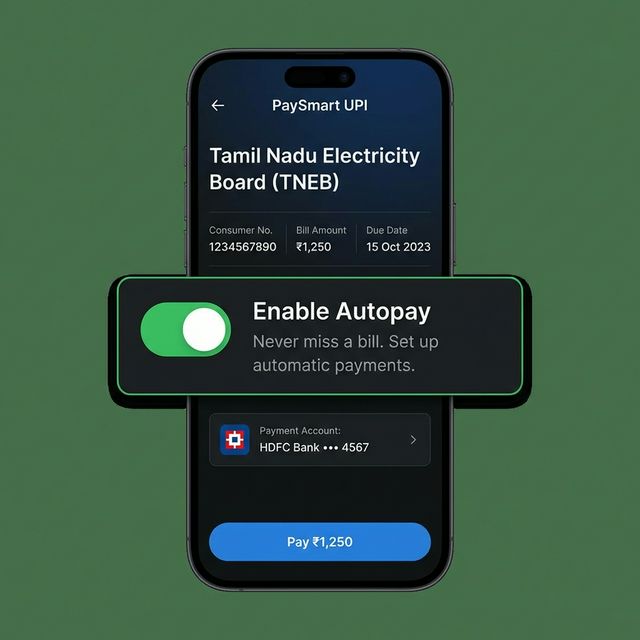
When you link your bill, look for an option that says "Enable Autopay" or "Set up automatic payments".
- You stay in control: You can set a maximum limit (e.g., ₹5000). If the bill is below this, it pays automatically. If it's higher, it asks for your approval.
- No late fees: Since the payment happens on the bill generation date or shortly after, you'll never pay a late fee again.
Method 3: TANGEDCO Mobile App
TANGEDCO has an official mobile app available for both Android and iOS.
- Download the "TANGEDCO" app from the Google Play Store or Apple App Store.
- Log in with your credentials or use the Quick Pay option.
- Follow the on-screen instructions to pay via card, net banking, or UPI.
Common Issues & Troubleshooting
| Issue | Solution |
|---|---|
| Transaction Failed but amount deducted | Do not pay again immediately. Wait for 24-48 hours. Usually, it gets refunded or updated. Check status on TANGEDCO site. |
| "Consumer Number Invalid" Error | Double-check your region code. The consumer number typically includes a region code prefix. |
| Bill not reflecting after payment | It can take a few hours to update. Keep your transaction receipt safe. |
Always try to pay your bill at least 1-2 days before the due date to avoid connection disconnection or late payment penalties.
Reduce Your Bill with Solar
Paying bills is easy, but reducing them is smart. If you are consistently paying high electricity bills, consider installing a rooftop solar system.
Check out our TNEB Bill Calculator to analyze your current spending, or visit our home page to get a free solar quote.